


Performance
Angular Performance: Make Core Web Vitals a Product Requirement
Angular performance is easier to protect while features are being built than to recover later. Treat loading, interaction delay and layout stability as part of the feature specification.
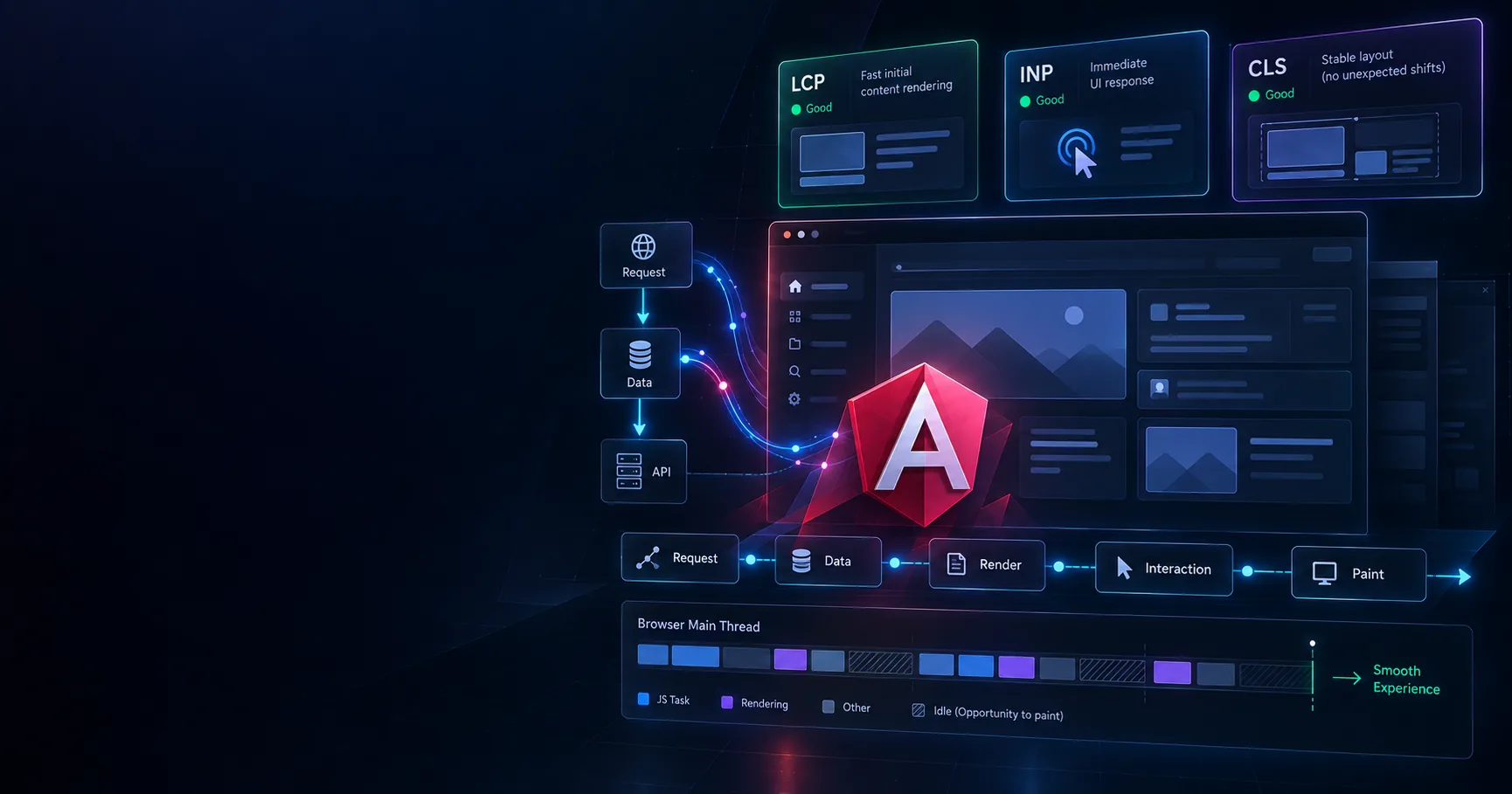
The Fiji immigration internal management system ended up roughly 50% faster on the frontend, with about 40% less API consumption. Those improvements did not come from a dedicated performance sprint. They came from treating loading behaviour as part of the feature requirements while the application was being built.
That distinction matters because most frontend performance problems are inexpensive when they are created and expensive after they become architecture.
Why Angular performance cannot be a final optimization phase
When performance becomes a separate phase, it competes with feature work for schedule. Feature work usually wins because it has an immediate stakeholder and visible product output.
The larger problem is that performance issues compound. One component fetching reference data independently is harmless. Forty components following the same pattern can turn into duplicate API requests, network waterfalls and a caching problem that now requires architectural work.
Reduce duplicate Angular API requests before optimizing rendering
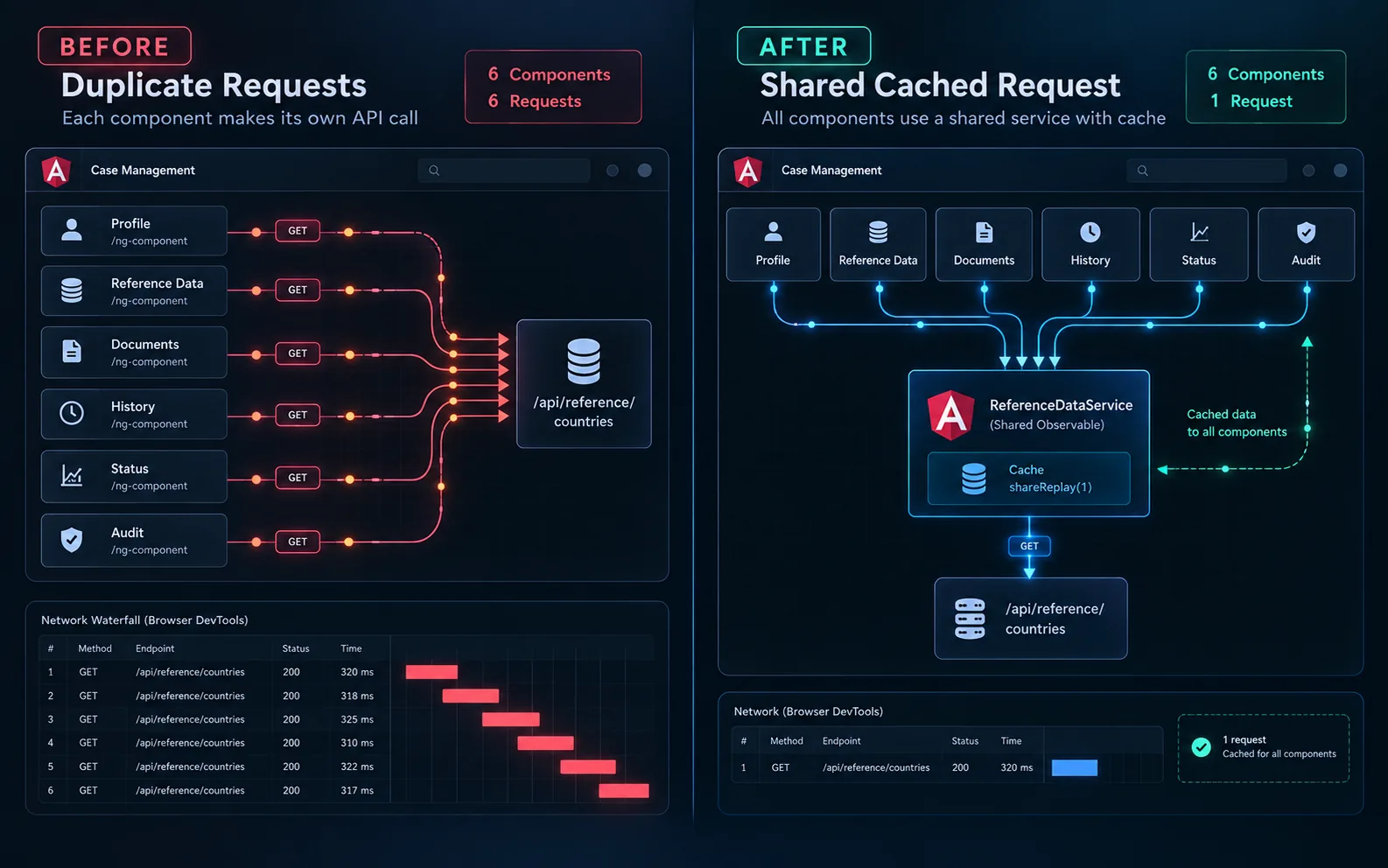
On the immigration case-management screens, independently developed panels requested the same reference data when they initialized. Each component was reasonable in isolation, but together they produced five or six calls to identical endpoints during one navigation.
export class DocumentPanelComponent implements OnInit {
  countries: Country[] = [];
  documentTypes: DocumentType[] = [];
  constructor(private readonly api: ReferenceApi) {} ngOnInit(): void {
    this.api.countries().subscribe((countries) => {
      this.countries = countries;
    });
    this.api.documentTypes().subscribe((types) => {
      this.documentTypes = types;
    });
  }
}
Shared reference data belongs behind a shared data boundary. Using a cached RxJS stream allows multiple consumers to join the same request instead of independently starting new ones.
@Injectable({ providedIn: 'root' }) export class ReferenceDataService {
  private readonly cache = new Map<string, Observable<unknown>>();
  private lookup<T>( key: string, fetch: () => Observable<T> ): Observable<T> {
    if (!this.cache.has(key)) {
      this.cache.set( key, fetch().pipe( shareReplay({
        bufferSize: 1, refCount: false,
      }) ) );
    }
    return this.cache.get(key) as Observable<T>;
  }
}
Prevent Cumulative Layout Shift at implementation time
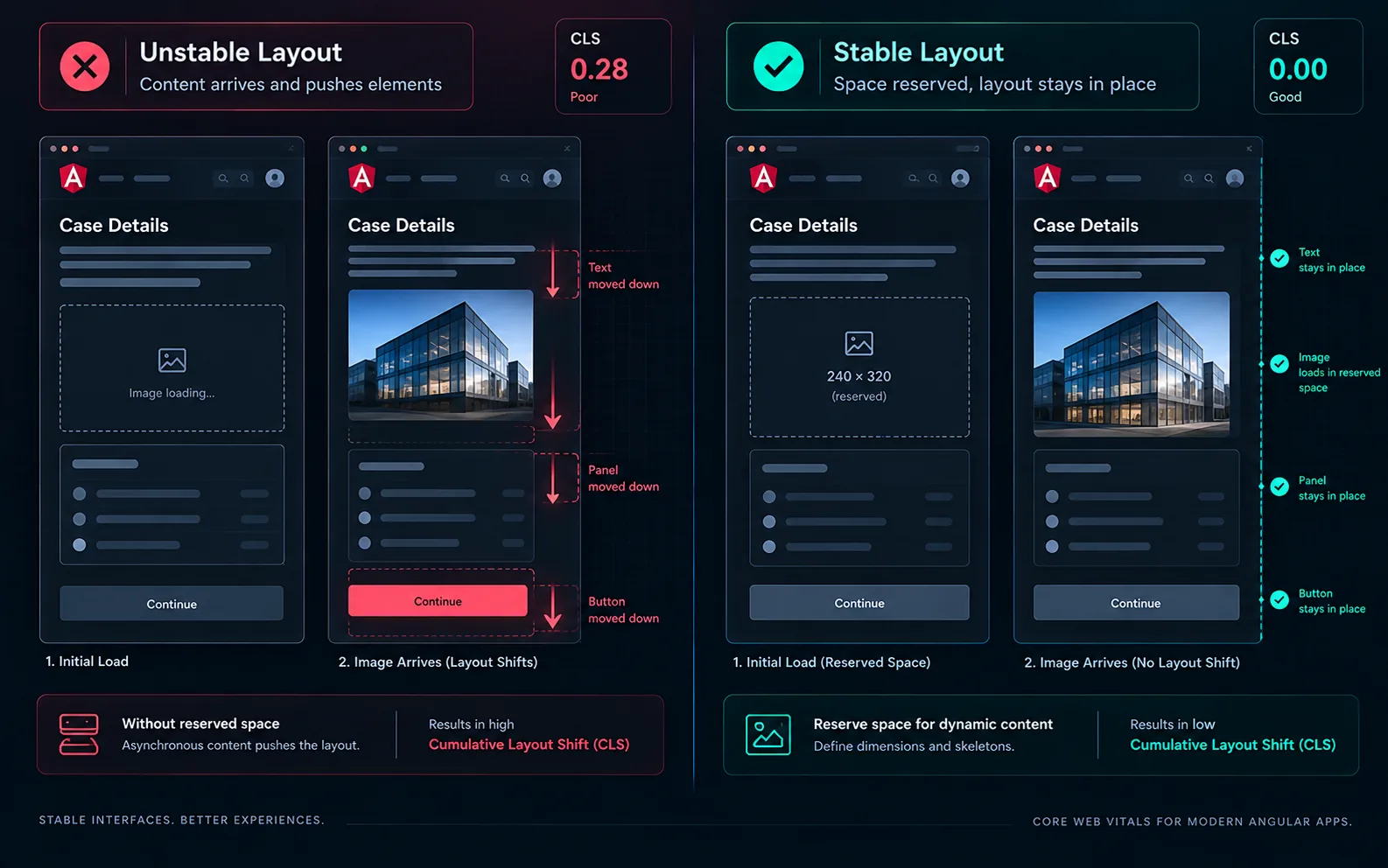
Cumulative Layout Shift has the same pattern. It rarely comes from one major mistake. It accumulates from images without dimensions, asynchronous sections that collapse before content arrives, and banners inserted above existing content.
<img [src]="applicant.photoUrl" alt="" width="240" height="320" /> <div class="panel" style="min-height: 18rem"> @if (documents(); as docs) { <app-document-list [documents]="docs" /> } @else { <app-skeleton-rows [count]="4" /> } </div>Put performance requirements into the feature specification
A feature specification can state how many requests a route may perform on initial load, which data should come from a parent or resolver, whether image space must be reserved and what immediate feedback should appear after an interaction.
Improve Angular INP by protecting the main thread
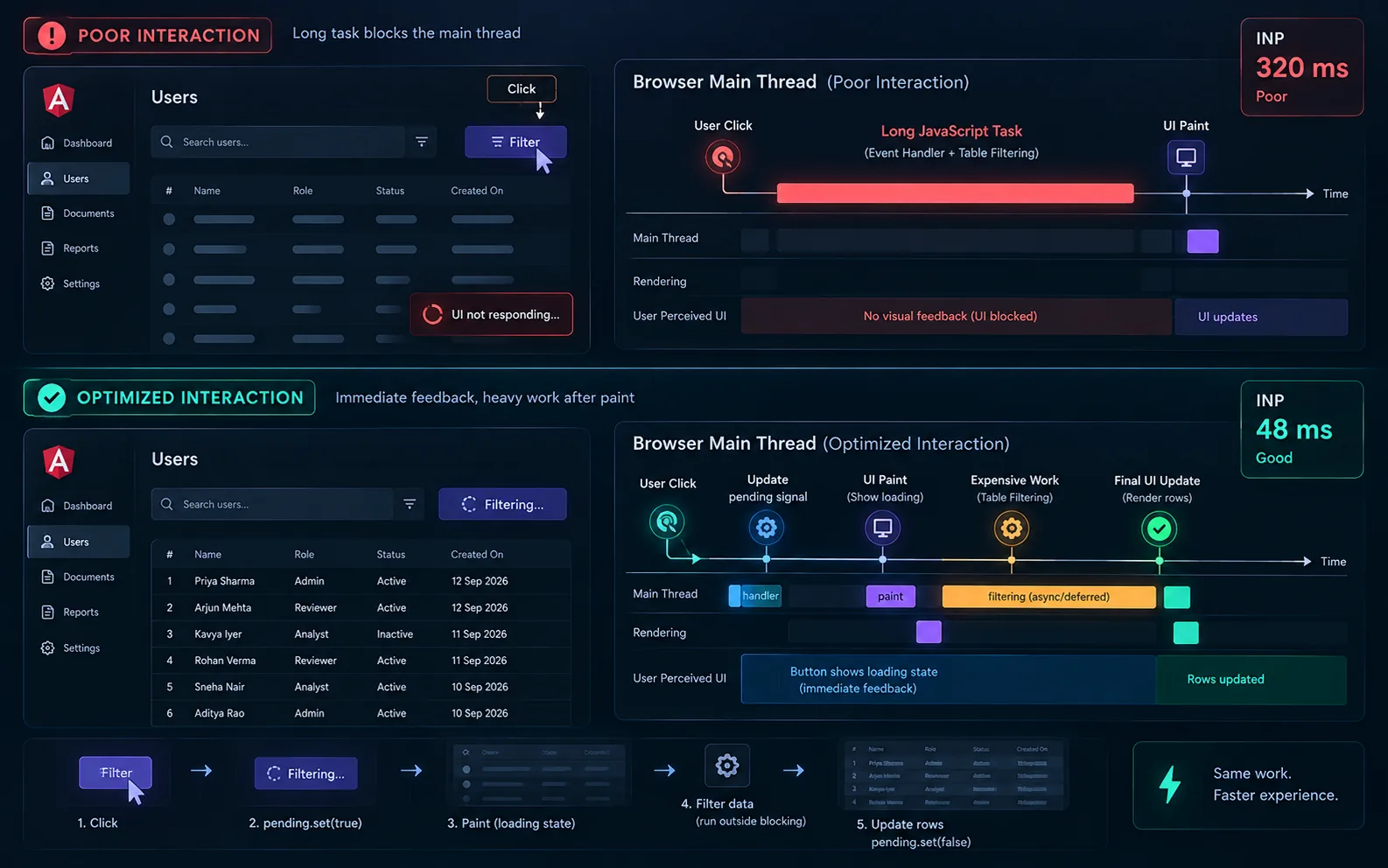
Interaction to Next Paint exposes a different category of performance problem. A click can technically complete quickly while still feeling broken if synchronous work prevents the browser from painting feedback.
For dense data views, acknowledge the interaction first and then perform expensive work. For genuinely heavy computation, move the work to a worker or reduce the amount processed in one frame.
Measure the Angular bottleneck before fixing it
Angular performance problems usually fall into several different categories: network waterfalls and duplicate requests, unnecessary change detection, oversized initial bundles, or expensive rendering. They can all appear to the user as the same complaint: the page feels slow.
The fix for one category does not necessarily improve another. Measurement is therefore not a final verification step. It is the first step in deciding what work should happen at all.
Keep reading
 Architecture
Angular Signal Forms: Building Custom Controls the Modern Way
Connect custom inputs, toggles, phone fields and rating controls to Angular Signal Forms with reusable validation schemas and clear ownership of form state.
 Architecture
I Stopped Writing Angular the Old Way: 10 Modern Angular Patterns I Use in 2026
The modern Angular patterns I use in 2026, why I use them, and when I would choose something else. A practical guide to clearer state, dependencies, forms, rendering and feature architecture.