


Architecture
Angular Signal Forms: Building Custom Controls the Modern Way
Connect custom inputs, toggles, phone fields and rating controls to Angular Signal Forms with reusable validation schemas and clear ownership of form state.
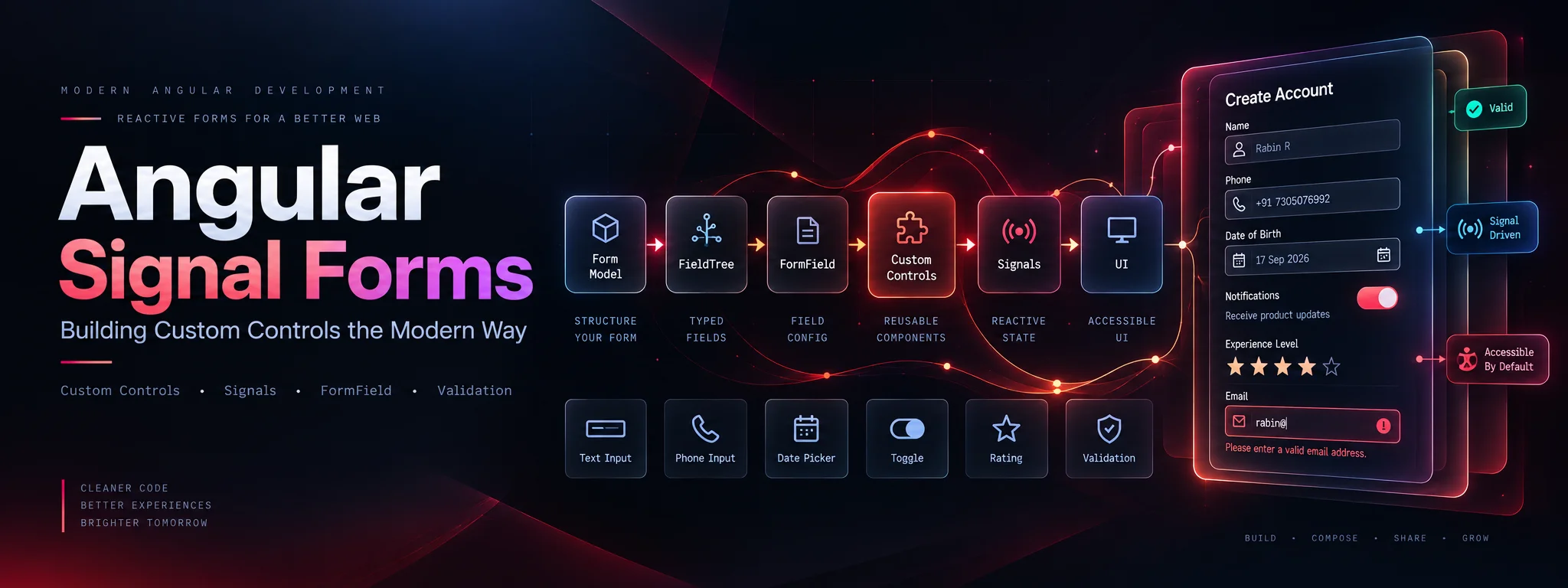
Modern Angular forms are moving toward a more reactive and type-safe model.
With Signal Forms, we can build forms around Angular Signals, define validation through schemas, and connect custom UI components directly to form state.
But the interesting part is this:
What happens when a native <input> is not enough?
Maybe your application needs:
- A custom date picker
- Phone number input
- Currency input
- OTP component
- Searchable select
- Tag selector
- Rich text editor
- Custom toggle
- File uploader
- Rating component
This is where Custom Signal Form Controls become extremely useful.
What are Angular Signal Forms?
Signal Forms provide a signal-based approach to managing form state.
Instead of creating multiple FormControl and FormGroup instances, we start with a writable signal representing our form model.
import { signal } from '@angular/core';
import { form } from '@angular/forms/signals';

interface LoginModel {
  email: string;
  password: string;
}

loginModel = signal<LoginModel>({
  email: '',
  password: '',
});

loginForm = form(this.loginModel);
The form automatically creates a field tree that mirrors the model.
loginForm.email
loginForm.password
The field state exposes signals such as:
loginForm.email().value()
loginForm.email().valid()
loginForm.email().invalid()
loginForm.email().touched()
loginForm.email().dirty()
loginForm.email().errors()
This gives us a reactive foundation for form state.
Signal Forms were introduced in Angular 21 through @angular/forms/signals. Check the APIs supported by your installed Angular version; these examples follow the current documentation.
Why Custom Controls?
Native controls already work:
<input [formField]="loginForm.email" />But real applications often need custom UI.
For example:
<app-phone-input />or:
<app-date-picker />or:
<app-search-select />The challenge is making these components behave like normal form controls.
We want:
Form Model
    ↓
Field Tree
    ↓
Custom Control
    ↓
User Interaction
    ↓
Updated Signal
    ↓
Form State
Signal Forms provides dedicated interfaces for this.
The Two Main Custom Control Interfaces
Signal Forms provides two important interfaces:
FormValueControl<T>
Use this for controls that represent a single value.
Examples:
- Text input
- Number input
- Date picker
- Select
- Currency input
- Phone input
- Rating
The control exposes:
value = model.required<T>();FormCheckboxControl
Use this for boolean controls.
Examples:
- Checkbox
- Toggle
- Switch
The control exposes:
checked = model(false);Angular's [formField] directive detects these interfaces and connects the control to the field tree automatically.
Building Our First Custom Control
Let's create a reusable custom input.
import { Component, model } from '@angular/core';
import { FormValueControl } from '@angular/forms/signals';

@Component({
  selector: 'app-custom-input',
  standalone: true,
  template: `
    <input
      type="text"
      [value]="value()"
      (input)="onInput($event)"
    />
  `
})
export class CustomInput implements FormValueControl<string> {

  value = model('');

  onInput(event: Event) {
    const input = event.target as HTMLInputElement;

    this.value.set(input.value);
  }
}
The important part is:
implements FormValueControl<string>and:
value = model('');The value model signal becomes the bridge between our custom component and Signal Forms.
Connecting the Custom Control
Now we can connect it using [formField].
import { Component, signal } from '@angular/core';
import { form, FormField } from '@angular/forms/signals';
import { CustomInput } from './custom-input';

@Component({
  imports: [
    FormField,
    CustomInput
  ],
  template: `
    <app-custom-input
      [formField]="registrationForm.email"
    />
  `
})
export class RegistrationComponent {

  registrationModel = signal({
    email: ''
  });

  registrationForm = form(this.registrationModel);
}
That's the important architectural difference.
We don't manually create a FormControl.
We don't manually subscribe to valueChanges.
We don't need a custom ControlValueAccessor.
The Signal Forms field system connects the component to the form.
Custom Checkbox / Toggle
For boolean controls, use:
FormCheckboxControlExample:
import {
  Component,
  input,
  model,
  output
} from '@angular/core';

import {
  FormCheckboxControl
} from '@angular/forms/signals';

@Component({
  selector: 'app-toggle',
  standalone: true,
  template: `
    <button
      type="button"
      [class.active]="checked()"
      role="switch"
      aria-label="Notifications"
      [attr.aria-checked]="checked()"
      [disabled]="disabled()"
      [attr.aria-readonly]="readonly()"
      (blur)="touch.emit()"
      (click)="toggle()"
    >
      {{ checked() ? 'ON' : 'OFF' }}
    </button>
  `
})
export class ToggleComponent
  implements FormCheckboxControl {

  checked = model(false);
  disabled = input(false);
  readonly = input(false);
  touch = output<void>();

  toggle() {
    if (this.disabled() || this.readonly()) return;
    this.checked.update(value => !value);
  }
}
Then:
<app-toggle
  [formField]="settingsForm.notifications"
/>
The important distinction is:
FormValueControl
      ↓
value

FormCheckboxControl
      ↓
checked
A FormValueControl should not expose checked, and a FormCheckboxControl should not expose value.
Custom Control + Validation
Validation belongs in the form schema.
For example:
import {
  form,
  required,
  email
} from '@angular/forms/signals';

registrationForm = form(
  this.registrationModel,
  path => {

    required(path.email);

    email(path.email);

  }
);
Then:
<app-custom-input
  [formField]="registrationForm.email"
/>
This separation is important.
Avoid
Putting business validation inside the custom component:
isValid() {
  return this.value().length > 5;
}
Prefer
Keeping validation inside the form schema:
required(path.email);

email(path.email);
The custom control should primarily focus on UI + interaction.
The form schema should own validation + business rules.
This separation makes components more reusable.
Reading Validation State Inside a Custom Control
Signal Forms can provide state information to custom controls.
Useful state includes:
disabled
readonly
hidden
invalid
errors
touched
dirty
For example, your UI can react to:
invalid()and display an error state.
Conceptually:
Form Schema
     ↓
Validation
     ↓
Field State
     ↓
Custom Control
     ↓
UI Feedback
This keeps the form state reactive instead of manually synchronizing it.
Handling Touched State
One important detail is blur handling.
For a custom control:
touch = output<void>();Then:
<input
  [value]="value()"
  (input)="onInput($event)"
  (blur)="touch.emit()"
/>
Why?
Because the form system needs to know when the user has left the control.
This becomes especially important when using rules such as:
debounce(path.email, 'blur');Without a proper touch/blur event, blur-based behavior won't work correctly.
Reusable Custom Controls
Imagine we build:
UI Library
│
├── custom-input
├── phone-input
├── currency-input
├── date-picker
├── select
├── toggle
├── rating
└── tag-input
Each component should have one responsibility.
For example:
PhoneInputComponent
        │
        ├── UI
        ├── Formatting
        ├── User interaction
        └── FormValueControl<string>
Then the application owns:
Validation
Business Rules
API Integration
Submission
This creates a cleaner architecture.
Companion Validation Schemas
A reusable control may also have common validation requirements.
For example, an email control might always require:
required
email format
Instead of repeating these rules everywhere, create a reusable schema.
import {
  schema,
  required,
  email
} from '@angular/forms/signals';

export const emailFieldSchema = schema<string>(path => {

  required(path, {
    message: 'Email is required'
  });

  email(path, {
    message: 'Enter a valid email address'
  });

});
Then apply it:
import {
  form,
  apply
} from '@angular/forms/signals';

registrationForm = form(
  this.registrationModel,
  path => {

    apply(
      path.email,
      emailFieldSchema
    );

  }
);
This allows the custom control and its validation rules to become a reusable package.
Angular's documentation specifically recommends this companion-schema approach for reusable controls.
Real-World Example: Phone Input
A phone input is a good example of a custom control.
import { Component, model, output } from '@angular/core';
import { FormValueControl } from '@angular/forms/signals';

@Component({
  selector: 'app-phone-input',
  standalone: true,
  template: `
    <input
      type="tel"
      [value]="value()"
      (input)="onInput($event)"
      (blur)="touch.emit()"
    />
  `
})
export class PhoneInput
  implements FormValueControl<string> {

  value = model('');

  touch = output<void>();

  onInput(event: Event) {

    const input =
      event.target as HTMLInputElement;

    const formatted =
      input.value.replace(/\D/g, '');

    input.value = formatted;
    this.value.set(formatted);
  }
}
Now the component can be used like a normal Signal Form field:
<app-phone-input
  [formField]="profileForm.phone"
/>
This digits-only demonstration is not international phone validation. Production controls need country-code and extension handling, caret preservation, labels and disabled state. Writing the normalized text back to the input also handles edits that leave the model unchanged.
Real-World Example: Custom Rating Control
Imagine a rating component:
<app-rating
  [formField]="reviewForm.rating"
/>
The model:
reviewModel = signal({
  rating: 0
});
The component:
export class RatingComponent
  implements FormValueControl<number> {

  value = model(0);

  setRating(rating: number) {
    this.value.set(rating);
  }
}
Template:
<button
  type="button"
  (click)="setRating(1)"
>
  ★
</button>

<button
  type="button"
  (click)="setRating(2)"
>
  ★
</button>
The same pattern can be extended to:
- Star rating
- Emoji rating
- Slider
- Color picker
- Range selector
Signal Forms + Debouncing
Search components are another good use case.
For example:
searchForm = form(
  this.searchModel,
  path => {
    debounce(path.query, 'blur');
  }
);
More advanced form logic can also control:
disabled()
hidden()
readonly()
debounce()
metadata()
based on reactive conditions.
This is useful for:
Search fields
Autocomplete
Coupon validation
Dynamic forms
Conditional fields
API-backed inputs
Custom Controls vs ControlValueAccessor
If you've worked with Angular Reactive Forms, you probably know:
ControlValueAccessorThe traditional architecture looks like:
FormControl
      ↓
ControlValueAccessor
      ↓
Custom Component
With Signal Forms:
FieldTree
      ↓
FormField
      ↓
FormValueControl
      ↓
Custom Component
For new Signal Form controls, Angular recommends the dedicated Signal Forms control interfaces rather than using ControlValueAccessor.
ControlValueAccessor remains useful for compatibility with existing reactive-form components.
Prefer one clear control contract. Check the interoperability support in your Angular version before adding a ControlValueAccessor adapter.
Recommended Architecture
For a large Angular application, I would structure reusable form controls like this:
src/
└── app/
    └── shared/
        └── form-controls/
            ├── input/
            │   ├── input.component.ts
            │   ├── input.component.html
            │   └── input.component.scss
            │
            ├── phone-input/
            │   ├── phone-input.component.ts
            │   └── phone-input.schema.ts
            │
            ├── date-picker/
            │   ├── date-picker.component.ts
            │   └── date-picker.schema.ts
            │
            ├── select/
            ├── toggle/
            ├── rating/
            └── index.ts
For a component library:
@company/angular-form-controlscould expose:
export {
  PhoneInputComponent,
  phoneFieldSchema
};

export {
  DatePickerComponent
};

export {
  RatingComponent
};
This makes the controls portable across applications.
Best Practices
1. Keep the control focused
The component should manage:
UI
Interaction
Formatting
Value updates
Accessibility
2. Keep validation in schemas
Use:
required()
email()
minLength()
pattern()
instead of embedding business rules inside the component.
3. Prefer Signals
Use:
model()
input()
output()
computed()
where appropriate.
4. Handle blur correctly
Custom controls should correctly communicate interaction state.
5. Design for accessibility
A custom control should still support:
Keyboard navigation
Focus management
Labels
ARIA
Disabled state
Readonly state
Error messaging
6. Avoid unnecessary effects
Don't create effects simply to synchronize form state manually.
Let Signal Forms manage the state connection.
Angular's documentation recommends using the form system's state flow rather than registering custom effects for state management.
One Important Mental Model
The easiest way to understand Signal Forms Custom Controls is:
                 SIGNAL FORM
                     │
                     ▼
                 FieldTree
                     │
                     ▼
                 FormField
                     │
          ┌──────────┴──────────┐
          ▼                     ▼
   FormValueControl     FormCheckboxControl
          │                     │
          ▼                     ▼
       value()              checked()
          │                     │
          └──────────┬──────────┘
                     ▼
                  UI
The custom component doesn't own the entire form.
It owns its control UI and value interaction.
The form owns:
Validation
State
Business rules
Form model
Submission
That separation is what makes the architecture scalable.
When Should You Use Custom Signal Form Controls?
Use them when your UI is more complex than native HTML controls.
Good examples:
✓ Date picker
✓ Phone input
✓ Currency input
✓ Searchable select
✓ OTP input
✓ Rating
✓ Tag selector
✓ Rich text editor
✓ Custom toggle
✓ File picker
For a simple:
<input>
<select>
<textarea>
there is usually no reason to create a custom control.
Use the simplest control that solves the problem.
Final Takeaway
Angular Signal Forms are not just about replacing FormControl with Signals.
The bigger idea is composable form architecture.
With:
signal()
    +
form()
    +
FormField
    +
FormValueControl
    +
FormCheckboxControl
    +
schema()
we can build reusable, type-safe, reactive form controls without manually wiring every component through ControlValueAccessor.
The most important architectural principle is:
That separation makes complex Angular forms easier to build, reuse, test, and maintain.
References
Angular documentation: custom Signal Form controls (opens in a new tab)
Keep reading
 Architecture
I Stopped Writing Angular the Old Way: 10 Modern Angular Patterns I Use in 2026
The modern Angular patterns I use in 2026, why I use them, and when I would choose something else. A practical guide to clearer state, dependencies, forms, rendering and feature architecture.
 Mobile
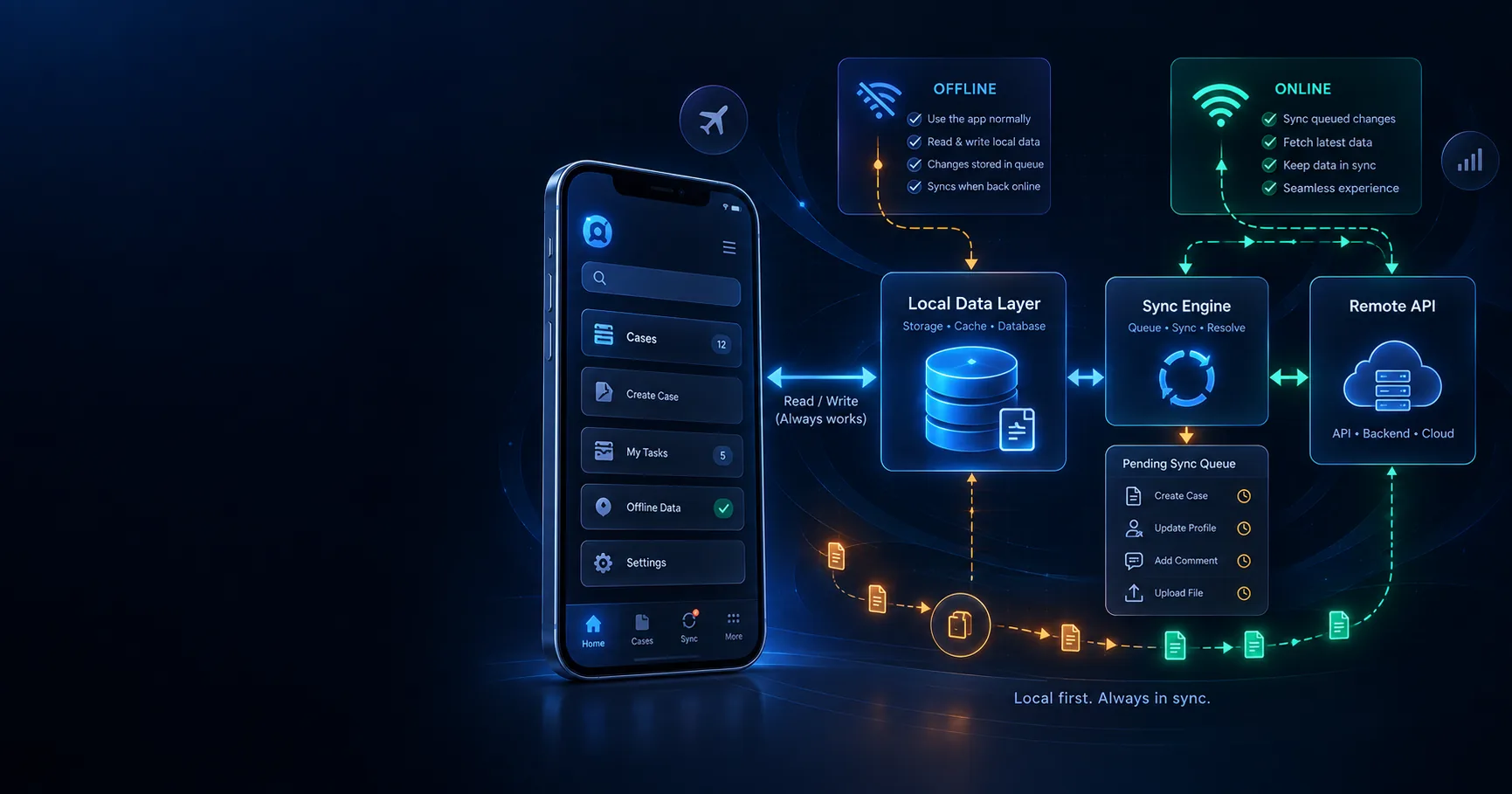
Ionic Offline-First Architecture with Angular & Capacitor
Reliable mobile apps need more than an offline error message. Cache useful data, preserve its age, queue safe mutations and tell users exactly what happened.